
What Is an AI Product Manager Portfolio — and Why You Need One Now
- Why an AI Product Manager Portfolio Beats a Resume Every Time
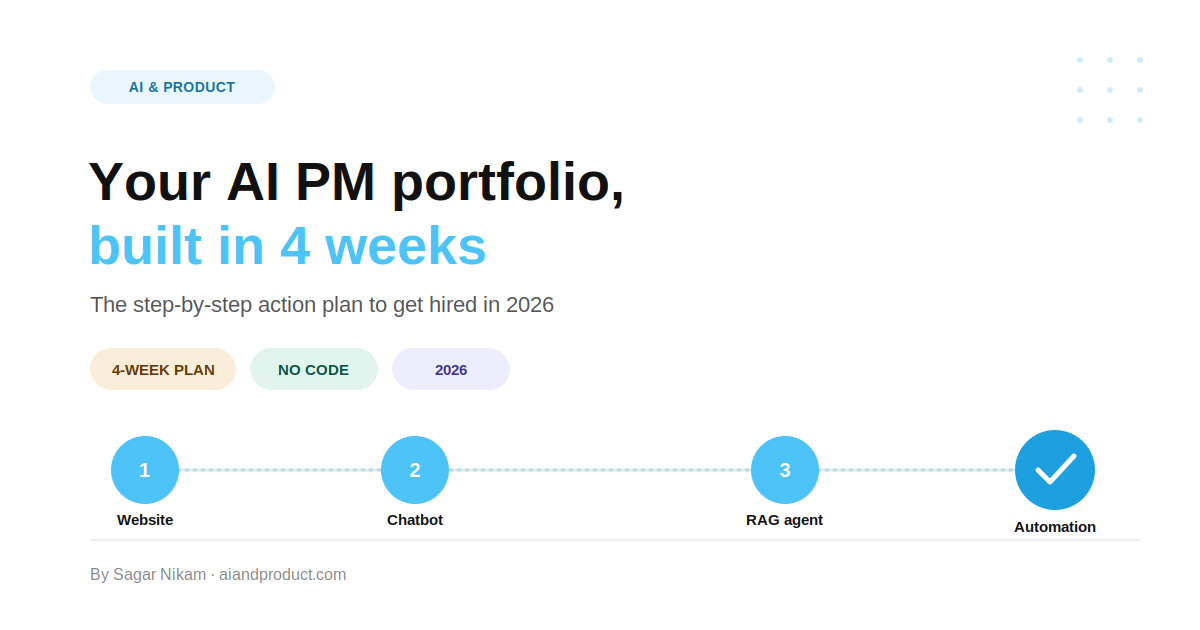
- The 4-Week AI Product Manager Portfolio Plan at a Glance
- Week 1 of 4 — Build Your Portfolio Website With Lovable or Base44
- Week 2 of 4 — Build an AI Chatbot Using Google AI Studio and Base44
- Week 3 of 4 — Build a RAG Agent Using n8n, a Vector Database, and Base44
- Week 4 of 4 — Build a Job Search Automation Using Claude Cowork and Skills
- What Your Completed AI Product Manager Portfolio Should Look Like
- How to Promote Your AI Product Manager Portfolio
- Credentials to Pair With Your AI Product Manager Portfolio
- Build Your AI Product Manager Portfolio With Expert Guidance
- Frequently Asked Questions About Building an AI Product Manager Portfolio
An AI product manager portfolio is a collection of real, working AI products that proves you can go beyond slide decks and PRDs — and actually build with AI.
In 2026, hiring managers at top AI companies are not looking for another resume that says “managed AI product roadmap.” They want to see the AI product you shipped, the problem it solved, and the thinking behind every decision you made.
As explored in The AI PM Portfolio Framework (Part 1), the bar has shifted again. “Using AI” was enough to stand out in 2023. By 2024, you needed to show you’d built something. Now interviewers ask a third question: did you think like a product manager while building it?
That’s exactly what a well-structured AI product manager portfolio answers. And the best part? You don’t need to write a single line of code to build one.
This guide gives you four concrete, tool-specific, step-by-step projects — one per week — each designed to produce a real, deployable artifact you can add to your AI product manager portfolio and discuss confidently in any interview.
💡 Building week by week? Subscribe to the AI & Product Newsletter for weekly prompts, PM frameworks, and portfolio tips delivered every week.
Why an AI Product Manager Portfolio Beats a Resume Every Time
Recruiters screen faster than ever. With AI tools shortlisting candidates in seconds, your resume rarely makes the cut alone. A live, working AI product that a recruiter can interact with in 30 seconds cuts through the noise in a way a bullet point never can.
AI PM roles demand proof of a builder mindset. The most in-demand AI PM skills in 2026 — prompt engineering, RAG system design, agentic workflows, evaluation frameworks — are not provable on a resume. They are provable in an AI product manager portfolio.
PM thinking separates you from developers. Each project should answer: What problem did I solve? Who is the user? How did I measure success? What trade-offs did I make? That layer of thinking is what makes it a PM artifact, not just a side project.
If you want to understand the full scope of what the role demands before you start building, read AI Product Manager Explained: Skills, Salary, and Role.
The 4-Week AI Product Manager Portfolio Plan at a Glance
| Week | Project | Tool | Core Skill Demonstrated |
|---|---|---|---|
| Week 1 | Personal Portfolio Website | Lovable / Base44 | Product launch thinking, positioning |
| Week 2 | AI Chatbot | Google AI Studio + Base44 | Prompt engineering, conversational design |
| Week 3 | RAG Agent | n8n + Qdrant/Pinecone + Base44 | AI architecture, grounding, evaluation |
| Week 4 | Job Search Automation | Claude Cowork + Skills | Agentic AI, business impact, ROI thinking |
Week 1 of 4 — Build Your Portfolio Website With Lovable or Base44

Why Start With a Website?
Your AI product manager portfolio needs a permanent, public home. Not a Notion doc. Not a Google Doc link. A real, indexed, professional website with your name, your projects, and your story — all in one place.
A portfolio website does three things your LinkedIn profile cannot: it ranks on Google for your name, it lets you embed live demos of your AI projects, and it signals to hiring managers that you ship things rather than just describe them.
The good news: you do not need a developer or a design tool. Vibe coding platforms like Lovable and Base44 let you describe what you want in plain English, attach your resume or LinkedIn PDF, and generate a complete, professional website in minutes.
Step-by-Step: Build Your Portfolio Website in One Weekend
Step 1 — Prepare your inputs
Before you open any tool, gather two things:
- Your LinkedIn profile as a PDF (go to LinkedIn → your profile → More → Save to PDF)
- A one-paragraph positioning statement: who you are, what kind of AI PM role you are targeting, and what makes your background relevant
Step 2 — Choose your vibe coding tool
Both tools work for this project. Here is how to choose:
- Lovable — Best if you want a polished, modern portfolio site with clean UI. Strong at visual design. Free tier available.
- Base44 — Best if you want a full-stack app with more interactivity. Acquired by Wix in 2025. Generates backend, database, and hosting automatically. Free plan with 25 credits/month.
Step 3 — Use this prompt to generate your site
Copy this prompt into Lovable or Base44 and attach your LinkedIn PDF:
“Build me a professional personal portfolio website for an AI Product Manager. I am attaching my LinkedIn profile PDF — extract my name, job history, skills, and education from it and use that information to populate the site. The website should include: a hero section with my name and a one-line positioning statement, an About section with my background summary, a Projects section with four placeholder project cards (I will fill these in over the next 3 weeks), and a Contact section with my LinkedIn URL and email. Use a clean, modern design with a dark or neutral colour palette. The tone should be professional but approachable.”
Step 4 — Review the generated site
Once the tool generates your site, review it against this checklist:
- Is my name and role clearly stated in the hero section?
- Does the About section accurately reflect my background from the PDF?
- Are there four project card placeholders ready to fill in?
- Does the site load cleanly on mobile?
- Is the contact section visible and clickable?
Step 5 — Refine with follow-up prompts
Vibe coding tools respond to follow-up instructions just like a conversation. Use specific refinement prompts:
- “Change the hero headline to: [your exact positioning statement]”
- “Make the Projects section a 2×2 grid of cards, each with a title, one-line description, tech stack tag, and a View Case Study button”
- “Add a footer with my LinkedIn URL and the text: AI Product Manager | Building in Public”
- “The About section text is too generic — replace it with this exact copy: [paste your own bio]”
Step 6 — Publish and get your URL
Both Lovable and Base44 give you a live URL the moment you publish. Share it immediately — even with placeholder project cards. The act of having a live URL is already a signal.
For a custom domain (e.g. yourname.com), both tools support domain connection. This is worth the small cost — it signals seriousness and improves your Google ranking for your own name.
Step 7 — Document the PM artifact
Create a project card on your new site titled “Portfolio Website” and write the case study:
- Problem: Hiring managers had no single place to see my AI PM work
- User: Technical recruiters and AI PMs at my target companies
- Solution: Vibe-coded personal portfolio website with live project demos
- PM Decision Made: Chose Lovable over Webflow because speed-to-publish mattered more than design control at this stage — a classic PM trade-off
- Success Metric: Live URL within 48 hours; 5 unique visitors within 7 days of sharing
- What I’d Do in v2: Add a blog section to publish case study write-ups and improve organic SEO
Week 1 Deliverable
A live, published portfolio website at a public URL. Google Analytics or Plausible installed. Four placeholder project cards ready to fill in over the next 3 weeks.
Week 2 of 4 — Build an AI Chatbot Using Google AI Studio and Base44

Why Build a Chatbot for Your AI Product Manager Portfolio?
A chatbot forces you to make every decision that matters in AI product development: Who is this for? What should it say and not say? How does it handle edge cases? How do you know if it is working?
This week uses a two-stage approach that mirrors exactly how professional AI teams build conversational products:
- Test and perfect your prompt in Google AI Studio — the free browser-based playground used by developers and PMs across the industry
- Wrap it in a real product interface using Base44 — so it looks and feels like a finished product, not a prototype
This separation between prompt engineering and product building is itself a PM skill worth demonstrating.
Step-by-Step: Build and Ship Your AI Chatbot
Step 1 — Define your chatbot’s use case
Pick a specific, narrow use case. Generic chatbots do not stand out in an AI product manager portfolio. Specific ones do:
- An AI PM interview prep assistant (users ask practice questions, bot gives structured feedback)
- A “talk to my portfolio” bot that answers recruiter questions about your background and projects
- A domain-specific assistant in your industry: HR policy Q&A, product discovery coach, onboarding guide
- A customer FAQ bot for a product you have worked on or researched deeply
Step 2 — Open Google AI Studio and set up the Playground
- Go to aistudio.google.com and sign in with any Google account — no waitlist, no credit card required
- Click Playground in the left sidebar
- In the System Instructions field (top of the right panel), paste your first draft system prompt
Use this template as your starting point, then customise it for your use case:
“You are [Name], an AI PM interview coach. Your role is to help aspiring AI Product Managers prepare for interviews at top tech companies. When a user asks a practice question, give them a structured response that: (1) explains what the interviewer is really testing, (2) gives a model answer framework, and (3) provides one follow-up question they should prepare for. Keep your tone encouraging but honest. Do not give vague answers — be specific and actionable. If a user asks about something outside interview prep, politely redirect them.”
Step 3 — Test your prompt systematically
This is the most important step. Type messages as if you were a real user and evaluate every response against your quality standard. Test these five scenarios:
- A standard question your target user would ask
- A vague or incomplete question
- An off-topic question (to test boundary behaviour)
- A rude or adversarial message
- A follow-up question that assumes context from a previous message
For each response ask: Is this what my user actually needs? Is the tone right? Is it too long, too short, too vague?
Step 4 — Iterate on your system prompt
This is prompt engineering in practice. Adjust one variable at a time:
- Too verbose? Add: “Keep responses under 200 words unless the user asks for more detail”
- Too generic? Add: “Always give a specific, concrete example — never speak in abstractions”
- Does not handle edge cases? Add: “If the user asks something outside your scope, say: ‘That is outside what I can help with here, but I would suggest…’ and redirect”
- Wrong tone? Add: “Your tone is like a supportive senior PM mentor — direct, warm, no corporate jargon”
Keep iterating until you get consistent Pass responses across all 5 test scenarios. Record your results in a simple table — this is your eval baseline, one of the most valuable PM artifacts in your AI product manager portfolio.
Step 5 — Get your API key from Google AI Studio
Once your prompt passes all test scenarios:
- Click Get API key in the left sidebar of Google AI Studio
- Create a new key and copy it — you will paste this into Base44 in the next step
Step 6 — Build the product wrapper in Base44
- Open base44.com and start a new app
- Use this prompt:
“Build a clean, professional chatbot web app. The chatbot is called [Your Chatbot Name]. It should have a chat interface with a message input at the bottom, a send button, and a scrollable message history above. Style it with a [dark/light/your brand colour] theme. The chatbot should connect to the Google Gemini API using the API key I will provide. Use the following system prompt for the AI: [paste your final system prompt from Google AI Studio]. Add a brief introduction at the top of the chat that says: [one sentence describing what the bot does and who it is for].”
- When prompted for your API key, paste the one from Step 5
- Test the chatbot end-to-end inside Base44’s preview
- Publish when you are happy with it — you will get a shareable URL
Step 7 — Embed the chatbot on your portfolio website
Go back to your Lovable or Base44 portfolio site and add the chatbot link to the Week 2 project card.
Step 8 — Document the PM artifact
Write the case study for this project:
- Problem: [Your target user’s specific pain point]
- User: [Who this is for — be specific]
- PM Decisions Made: Why this use case? What did you cut from scope? Why this system prompt structure?
- Prompt Iterations: How many versions did you test? What changed between v1 and your final version, and why?
- Eval Results: Pass/Fail table across your 5 test scenarios
- Success Metric: e.g. 80%+ Pass rate on your 5 test scenarios; 3+ external users completed a full conversation
- What I’d Do in v2: Add memory so the bot recalls previous answers in the same session; add a feedback button; add a “topics I can help with” starter menu
Week 2 Deliverable
A live, published chatbot embedded or linked from your portfolio site. A case study page documenting your prompt engineering process, eval table, and v2 roadmap.
Week 3 of 4 — Build a RAG Agent Using n8n, a Vector Database, and Base44

Why a RAG Agent Is the Most Impressive Project in an AI Product Manager Portfolio
Retrieval-Augmented Generation (RAG) is the architecture behind almost every serious AI product in production. It solves the core problem with LLMs: they hallucinate because they only know what they were trained on. RAG fixes this by letting the model retrieve specific, grounded information from your own knowledge base before generating a response.
Building a working RAG agent for your AI product manager portfolio shows hiring managers three things at once:
- You understand why RAG exists — the business problem it solves
- You can architect a multi-component AI system end-to-end
- You know how to measure whether it is working
This week uses n8n to build the RAG pipeline and Base44 to give it a clean product interface — connected via API trigger.
Step-by-Step: Build Your RAG Agent
Step 1 — Choose your knowledge base
Your RAG agent needs a specific document corpus to be useful. Pick one you care about:
- A set of AI PM job descriptions from LinkedIn (paste 10–15 into text files)
- Your own notes, articles, or case study write-ups
- Public product documentation from a company you have researched
- Research papers, policy documents, or industry reports in your domain
- Course notes or frameworks from your PM training
Save these as PDF or text files in a single Google Drive folder.
Step 2 — Set up your accounts
You will need:
- n8n Cloud — Free trial available; no local install needed for the cloud version
- Qdrant Cloud — Free tier, no credit card required. Cloud-hosted vector database that stores your document embeddings. Alternatively, use Pinecone — also free tier, slightly easier initial setup
- OpenAI API key — Used for embeddings and LLM responses. A few dollars of credit is enough for a portfolio project
Step 3 — Build the Document Ingestion Pipeline in n8n
This pipeline reads your documents, chunks them, converts them to vectors, and stores them in your vector database. In n8n, chain these nodes:
- Google Drive node (Trigger) → watches the folder you created in Step 1
- Default Data Loader node → reads the file content
- Recursive Character Text Splitter node → chunks content into 512-token pieces with 50-token overlap. PM note to document in your case study: chunk size is a product decision — too large and you lose retrieval precision, too small and you lose context
- Embeddings OpenAI node → converts each chunk to a vector using
text-embedding-3-small - Qdrant Vector Store node (insert mode) → stores the vectors in your Qdrant collection
To set this up faster: in n8n, click New Workflow → search templates → search “RAG” → use the official “Build a RAG agent with n8n, Qdrant and OpenAI” template as your starting point.
Add your Qdrant API key and OpenAI API key in the credentials panel. Drop a test file into your Google Drive folder and run the workflow — check your Qdrant dashboard to confirm vectors were stored.
Step 4 — Build the Query Pipeline in n8n (the RAG Agent)
This pipeline receives a user’s question, retrieves the relevant chunks, and generates a grounded answer. Chain these nodes:
- Webhook node (Trigger) → this is the API endpoint that Base44 will call
- AI Agent node → the brain of your RAG system
- Vector Store Tool (connected to Qdrant in query mode) → retrieves the top 5 most relevant chunks for the user’s question
- OpenAI Chat Model node → generates the final response using retrieved chunks as context
- Window Buffer Memory node (optional but recommended) → gives the agent short-term memory so follow-up questions feel natural
- Respond to Webhook node → sends the answer back to Base44
Set the AI Agent’s system prompt:
“You are a knowledgeable AI PM assistant. Answer questions based only on the documents provided to you. If the answer is not in the documents, say so clearly — do not make up information. Always cite which document you retrieved the answer from.”
Step 5 — Run your 20-question eval before connecting the interface
Before connecting Base44, test your RAG agent directly in n8n. Create a simple eval table:
| # | Question | Expected Answer (from doc) | RAG Response | Pass / Fail |
|---|---|---|---|---|
| 1 | [Question from your docs] | [What the doc says] | [What the bot said] | |
| 2 | … | … | … |
Run 20 questions and calculate your pass rate. Anything above 80% is strong for a portfolio project. If you are below 70%, troubleshoot: check your chunking strategy, adjust the system prompt, or review whether your source documents are high quality. This eval table is one of the most valuable PM artifacts in your AI product manager portfolio.
Step 6 — Connect Base44 to your n8n RAG Agent via API trigger
Now give your RAG agent a proper product interface:
- In n8n, activate your Webhook node and copy the webhook URL
- Open Base44 and start a new app with this prompt:
“Build a clean, professional AI assistant web app with a chat interface similar to ChatGPT. When the user sends a message, the app should make a POST request to this webhook URL: [paste your n8n webhook URL], sending the message as JSON in this format: {‘message’: ‘user question here’}. Display the response from the webhook as the assistant’s reply. Add a loading indicator while waiting for the response. Style it with a professional dark theme. The app is called [Your RAG Agent Name] and the subtitle is: Ask questions about [your knowledge base topic].”
- Test the full end-to-end flow: type a question in Base44 → it calls n8n → n8n retrieves from Qdrant → n8n generates an answer → Base44 displays it
- When the flow works reliably, publish your Base44 app and add the URL to your portfolio website
Step 7 — Document the PM artifact
This is the richest case study in your AI product manager portfolio. Document:
- Problem: What information retrieval or knowledge access problem does this solve?
- Architecture Decisions: Why RAG over fine-tuning? Why Qdrant over Pinecone? Why 512-token chunks? These are the exact questions interviewers ask.
- Eval Results: Your 20-question pass rate table. What failure modes did you find?
- Hallucination Analysis: Of the responses that failed, how many were hallucinations versus retrieval failures?
- What I’d Do in v2: Better chunking strategy? Add a reranking step? Expand the knowledge base?
For a deeper lens on documenting AI PM thinking around system behaviour, read The AI PM Portfolio Framework (Part 1).
Week 3 Deliverable
A live RAG agent deployed via Base44 and powered by an n8n workflow connected to a vector database — with a case study documenting architecture decisions, eval results, and failure analysis.
Week 4 of 4 — Build a Job Search Automation Using Claude Cowork and Skills

Why Workflow Automation Is the Business-Impact Project Every AI Product Manager Portfolio Needs
If your first three projects demonstrate technical depth, Week 4 demonstrates business impact — and that closes the loop on a complete AI product manager portfolio.
This week, you will use Claude Cowork — Anthropic’s agentic desktop application — to automate the most time-consuming part of your own job search: finding matching roles, customising your CV for each one, generating a tailored cover letter, and packaging everything for review and submission.
This is a meta-project: you are building an AI workflow to land the AI PM job you want. That story is compelling in any interview. It demonstrates exactly the capability AI companies most want to hire — an AI PM who uses AI to solve real operational problems, measures the impact, and iterates.
⚠️ Prerequisites: Claude Cowork requires a paid Claude plan (Pro, Max, Team, or Enterprise) and the Claude Desktop App. It is desktop-only — not available in the web interface.
Step-by-Step: Build Your AI Job Search Automation
Step 1 — Install and set up Claude Cowork
- Download and install the Claude Desktop App for Mac or Windows
- Open the app and click the Cowork tab at the top
- Create a new folder for your job search project — e.g.
AI PM Job Search - Click Allow when prompted so Claude can read from and write to that folder
- Inside the folder, create three sub-folders:
Job Listings,My CVs, andCover Letters - Drop your current CV (as a PDF or Word file) into the
My CVsfolder
Step 2 — Build your Job Finder Skill
Skills are reusable instructions you can run on demand in Cowork — think of them as saved, repeatable automations. In Cowork, click New Skill and paste this prompt:
“You are my AI PM job search assistant. Your task is to find the 5 best-matched AI Product Manager job postings for me today. Use web search to look for AI PM roles on LinkedIn, Greenhouse, Lever, and company career pages. My target criteria: [paste your criteria — e.g. ‘AI-first companies, Series B or later, remote or hybrid, London or Dublin based, salary above £80k’]. For each job found, create a summary card in the Job Listings folder with: company name, role title, location, salary range if listed, application deadline, key requirements, why it matches my profile, and the direct application URL. Save each as a separate text file named [Company]-[Role]-[Date].txt”
Run this Skill and review the output files in your Job Listings folder.
Step 3 — Build your CV Customiser Skill
Create a second Skill in Cowork:
“I will give you a job listing file from my Job Listings folder. Read it carefully. Then read my current CV from the My CVs folder. Your task is to produce a customised version of my CV tailored specifically to this role. Rules: (1) Do not fabricate any experience — only reframe and emphasise what already exists. (2) Adjust the professional summary to mirror the language and priorities in the job listing. (3) Reorder and reword bullet points in my experience section to match the key requirements. (4) Add a Relevant Skills section that uses the exact keywords from the job description. (5) Save the customised CV as a Word document in the My CVs folder named [Company]-CV-[Date].docx. (6) Tell me the 3 most important changes you made and why.”
To run this Skill: tell Cowork which job file to use. Review the output Word document and approve or request edits before using it.
Step 4 — Build your Cover Letter Generator Skill
Create a third Skill:
“I will give you a job listing file and my customised CV for that role. Your task is to write a compelling, specific cover letter. Rules: (1) Open with the specific problem the company is solving — not ‘I am excited to apply’. (2) In the second paragraph, connect one specific experience from my CV to one specific requirement from the job listing. (3) In the third paragraph, explain why this company and this role specifically — reference something real from their product, blog, or recent news. (4) Close with a clear, confident call to action. (5) Keep it to 3 paragraphs, under 300 words. (6) Save it as [Company]-Cover-Letter-[Date].docx in the Cover Letters folder.”
Step 5 — Build your Application Review Skill
Create a final Skill that packages everything for review and submission:
“Look in the Job Listings folder for today’s listings, the My CVs folder for the matching customised CVs, and the Cover Letters folder for the matching cover letters. Create a single review document called Application-Review-[Date].md that presents everything in one place. For each job show: company name, role title, salary, deadline, the 3 key changes made to the CV, the full cover letter text, and the direct application URL. Flag any applications where the deadline is within 72 hours. Save this to the main AI PM Job Search folder.”
Step 6 — Run the full workflow and review
Run all four Skills in sequence. Your review document gives you everything needed to submit applications — customised CV, tailored cover letter, and direct application link — in one place.
This becomes your daily job search workflow. Run the Job Finder Skill every morning. Run the CV Customiser and Cover Letter Generator for each role you decide to pursue. Use the Application Review Skill to check everything before submitting.
Step 7 — Document the PM artifact
This is your most business-impact case study. Document:
- Problem: Manually customising a CV and cover letter for each AI PM role took 45–90 minutes per application, creating a painful trade-off between quality and volume
- Users: Yourself — and by extension, any professional in a high-volume, high-customisation job search
- Workflow Map: Draw a before/after process diagram. Before: manual research → manual CV edit → manual letter → 60+ minutes per role. After: Skill run → review and approve → submit → under 10 minutes per role
- Time Saved: If you apply to 3 roles per week and save 50 minutes each, that is 2.5 hours/week or 10 hours/month
- Failure Modes Found: Did Cowork ever hallucinate a job requirement? Misread your CV? What guardrails did you add to prevent this?
- PM Decision to Document: Why Claude Cowork over n8n for this use case? (Cowork excels at file-based, desktop-native workflows; n8n is better for API-connected, cloud workflows — a genuine architectural trade-off worth articulating in interviews)
- What I’d Do in v2: Schedule the Job Finder Skill to run automatically every morning at 8am; add a Slack connector to send the daily review as a message; integrate with a Notion database to track application status end-to-end
For more on how to frame agentic AI projects in business-impact terms, read the 5-Week AI PM Course overview.
Week 4 Deliverable
A working Claude Cowork automation with 4 reusable Skills that handles your job search end-to-end. A case study with a before/after process map, time-saved calculation, and failure mode analysis.
What Your Completed AI Product Manager Portfolio Should Look Like
After 4 weeks, you have a live AI product manager portfolio with four real, deployable artifacts — each documented as a PM case study:
| Week | Project | What It Proves to Hiring Managers |
|---|---|---|
| Week 1 | Portfolio Website (Lovable / Base44) | You can ship. Even a website is a product launch with real decisions. |
| Week 2 | AI Chatbot (Google AI Studio + Base44) | You can engineer prompts, run systematic evals, and build a product interface around an LLM |
| Week 3 | RAG Agent (n8n + Qdrant + Base44) | You understand AI architecture, grounding, vector databases, and quality measurement |
| Week 4 | Job Search Automation (Claude Cowork) | You connect AI to real business outcomes and can quantify the impact with numbers |
Every project page follows the same structure: Problem → User → Solution → PM Decisions → Results → What I’d Do Differently. That format tells a hiring manager everything they need to know in under 5 minutes.
For the deeper framework on what interviewers actually score, read The AI PM Portfolio Framework (Part 1).
How to Promote Your AI Product Manager Portfolio
Building the projects is only half the work. Distribution is the other half.
LinkedIn Featured Section: Add your portfolio website URL here. Most AI PMs leave this empty — a working URL does more than any additional resume line.
Post one project at a time: Do not announce “I built a portfolio.” Announce “I built a RAG agent that answers questions from 50 AI PM job descriptions — here is what I learned about chunking strategy and hallucination rates.” Each project is its own content piece.
Publish your case studies as articles: Republishing your case study write-ups on Medium or Substack builds your personal brand and sends traffic back to your portfolio site. Browse the AI & Product blog to see how to write about AI PM work in a way that builds authority.
Add the link everywhere: Resume header, cover emails, LinkedIn connection notes. A working URL beats any additional bullet point.
Credentials to Pair With Your AI Product Manager Portfolio
A portfolio proves you can build. A relevant certification signals structured learning. The two together are significantly more powerful than either alone.
For free options worth your time, read the Top Free AI Product Management Certifications to Boost Your Career in 2026 — a curated list mapped to every phase of the product lifecycle.
For an honest review of one of the most popular paid programmes, read the Product Faculty AI PM Certification Review.
Build Your AI Product Manager Portfolio With Expert Guidance
If you want to build these four projects with structured mentorship, peer accountability, and live coaching from someone who has guided 1,000+ professionals through this exact transition, the 5-Week AI PM Course is built for this.
Five live Saturdays. A real AI product manager portfolio. A cohort of peers making the same move. Limited to 25 seats.
💡 Not ready to enroll yet? Subscribe to the AI & Product Newsletter for weekly AI PM insights, portfolio prompts, and job market updates — free, every week.
Sagar Nikam is an AI Product leader with a decade of experience shipping AI solutions across startups and Fortune 100 companies. He has mentored 1,000+ professionals worldwide through the AI Product Management Mastery program and writes weekly about AI product strategy at aiandproduct.com/blog.
Frequently Asked Questions About Building an AI Product Manager Portfolio
What is an AI product manager portfolio? An AI product manager portfolio is a collection of real, working AI projects — each documented with PM-standard case studies covering the problem, user, decisions made, and measurable outcomes. It proves you can build with AI, not just describe it.
Do I need to know how to code to build an AI product manager portfolio? No. All four projects in this plan use no-code or low-code tools: Lovable and Base44 for building interfaces, Google AI Studio for prompt testing, n8n for RAG pipelines, and Claude Cowork for agentic desktop workflows. No coding required.
How long does it take to build an AI product manager portfolio? Following this 4-week plan, expect 5–8 hours per week — roughly 2–3 hours on the build and 2–3 hours documenting the PM case study for each project.
What tools do I need to build an AI product manager portfolio? Week 1: Lovable or Base44 (free tiers available). Week 2: Google AI Studio (free) and Base44. Week 3: n8n free trial, Qdrant or Pinecone free tier, OpenAI API, and Base44. Week 4: Claude Desktop App with a paid Claude plan (Pro or above).
What should an AI product manager portfolio include? A strong AI product manager portfolio includes a personal website, a conversational AI project (chatbot), a RAG agent, and a workflow automation — each documented with a problem statement, design decisions, eval results, and measurable outcomes.
How is an AI product manager portfolio different from a traditional PM portfolio? A traditional PM portfolio focuses on past case studies and PRDs. An AI product manager portfolio includes live, working AI products demonstrating hands-on skills in prompt engineering, RAG architecture, evaluation frameworks, and agentic workflow design.
How do I promote my AI product manager portfolio to recruiters? Add your portfolio URL to your LinkedIn Featured section, post individual project write-ups as LinkedIn articles, republish on Medium or Substack, and include the link in every job application. Read the AI & Product blog for examples of how to write about AI PM work clearly.
What certifications pair well with an AI product manager portfolio? Free certifications from Google, DeepLearning.AI, and Anthropic are the strongest complements. For a curated list, read the Top Free AI PM Certifications guide.